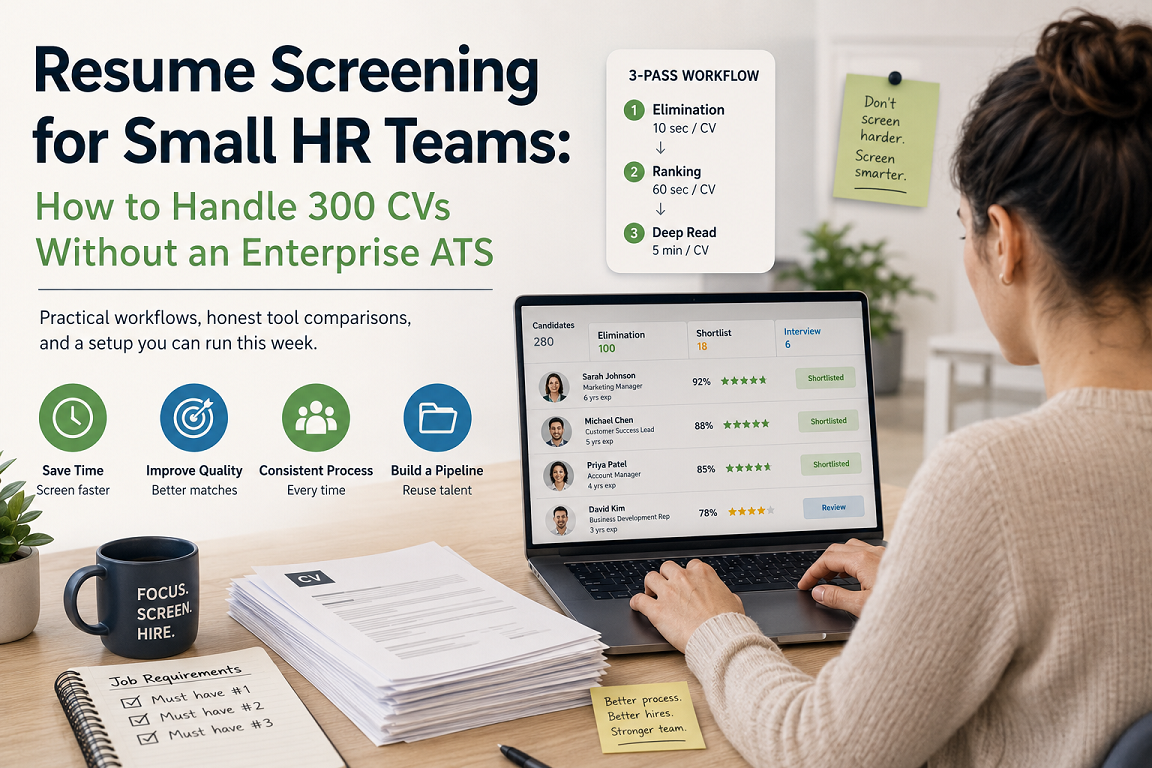
A recruiter at a 40-person company posts a mid-level role on LinkedIn. Within 72 hours there are 280 applications sitting in an inbox. There is no dedicated sourcing team, no screening coordinator, and the same person is also running onboarding for two new hires and chasing a signed offer letter.
This is the reality of resume screening for small HR teams. The problem is not that the work is hard — reading a CV takes ninety seconds. The problem is that ninety seconds times 280 is seven hours of concentrated attention that nobody has in a week that also contains an actual job.
Below is a practical way to handle it: what the real cost of manual screening looks like, what to fix before you buy anything, and which tools are worth a look when you do.
The hidden cost of screening by hand
Small teams tend to underestimate manual screening because the cost is spread thin. It shows up in four places:
- Time-to-first-contact. Strong candidates are usually in three processes at once. If your first reply lands on day nine, you are competing for someone who already has an offer.
- Inconsistent standards. The CV you read at 9am and the CV you read at 6pm on a Friday do not get the same treatment. This is not a discipline problem, it is a fatigue problem.
- Buried candidates. Good profiles get missed because they used “customer success” where your job description said “account management.” Keyword-blind reading loses people who are actually qualified.
- No reusable pipeline. You screen 280 CVs, hire one person, and the other 279 evaporate. Six months later you post a similar role and start from zero.
That last one is the expensive one. Most small teams are sitting on a silent asset — hundreds of already-vetted candidates — and have no way to search it.
Fix the intake before you fix the screening
Software will not save you from a vague job description. Before evaluating any tool, spend an hour on this:
1. Write three to five hard requirements, and no more
Not “nice to haves.” Not a wish list. The specific things a person must have on day one to do the job. If your list has eleven items, you are not screening, you are fantasising. Everything beyond five requirements is a preference, and preferences belong in the interview, not in the filter.
2. Define what a “no” looks like
Explicit rejection criteria are faster to apply than approval criteria. Wrong work authorisation, no experience with the one system that matters, salary expectation double your band. Write them down. Applied early, these three rules alone often remove 40–60% of a pile.
3. Standardise the application
If candidates apply through an email address, you will get PDFs, Word files, Google Doc links, and the occasional photo of a printed CV. Even a basic form with three structured questions — years of relevant experience, location, notice period — gives you something sortable before a single CV is opened.
A three-pass screening workflow
The mistake small teams make is trying to make a final decision on every CV in a single reading. Split it instead:
Pass 1 — Elimination (10 seconds per CV). Apply your rejection criteria only. You are not assessing quality, you are removing people who cannot do the job for a structural reason. 280 becomes roughly 100.
Pass 2 — Ranking (60 seconds per CV). Score the survivors against your three to five hard requirements. Use a simple scale, write one line of reasoning per candidate. 100 becomes a shortlist of 15–20.
Pass 3 — Deep read (5 minutes per CV). Only on the shortlist. Career progression, gaps, whether the story hangs together, what you want to probe in the call.
The reason to separate the passes is that they use different mental modes, and mixing them is what makes screening exhausting. It is also why the first two passes are the ones worth automating — they are mechanical, and machines are good at mechanical.
Where software actually helps
For a team of one to five people, ignore anything marketed on “enterprise workflow orchestration.” What you need is narrow:
- Bulk parsing. Drop in a folder of 200 mixed-format CVs and get structured data out — name, contact, experience, skills — without manual entry.
- Semantic matching, not keyword matching. A tool that understands “SaaS revenue operations” is adjacent to “sales ops” will surface candidates a keyword filter drops.
- Ranked shortlists with reasoning. A score with no explanation is unusable. You need to know why a candidate ranked where they did, both to trust it and to defend the decision.
- A searchable database. Every CV you process should stay queryable for the next role.
- Deduplication. The same person applies to three of your roles across a year. You should see one record, not three.
Things you probably do not need yet: interview scheduling automation, offer management, workforce analytics, a careers-page CMS. These are the features that push a tool from $50 a month to $500 a month.
Tools worth evaluating
Honest framing: the right choice depends on whether you want a full ATS or just the screening layer.
CVScanner (cvscanner.ai)
Built specifically for the screening problem rather than as a light version of an enterprise ATS. You upload a batch of CVs and a job description, and it returns a ranked shortlist using vector-based semantic matching — so it catches equivalent experience described in different vocabulary, which is exactly where keyword filters fail. Each candidate comes with a written rationale for the ranking, and there is a binary pick / no-pick verdict for fast triage on large batches. Processed CVs stay in a searchable database with automatic deduplication, so the pile you screen this month becomes a talent pool you can query next quarter. There is a free tier to test it on a real vacancy before paying anything.
Best for: teams who already have a way to receive applications and want the screening bottleneck removed. Less suited to: teams looking for a single system to also handle scheduling, offers, and onboarding.
Full ATS platforms (Workable, Recruitee, Teamtailor and similar)
These give you the whole hiring pipeline: careers page, job distribution, pipeline stages, scheduling, collaboration. Screening is one feature among many, and typically less sophisticated than a dedicated tool. Worth it if your bottleneck is coordination across hiring managers rather than volume of CVs. Expect a meaningfully higher monthly cost and a real implementation effort.
Free and near-free options
Google Forms plus a scoring spreadsheet costs nothing and is genuinely better than an inbox. LinkedIn Recruiter Lite has built-in filtering if that is where your applications come from. Neither scales past roughly 50 applications per role, but if that is your volume, do not buy software.
What to watch for with AI screening
Two things deserve care.
Bias. A model trained on historical hiring data can reproduce historical hiring patterns. Mitigate it by screening against explicit job requirements rather than “similarity to past hires,” reviewing rejections periodically rather than trusting the filter blindly, and checking whether your shortlist demographics look wildly different from your applicant pool. Note that manual screening is not a neutral baseline here — human screeners have well-documented biases too. The advantage of a systematic process is that it is auditable.
Data protection. CVs are personal data. Under GDPR — and equivalent regimes in the UAE and elsewhere — you need a lawful basis to process them, a retention period, and a way to honour deletion requests. If you are building a talent pool from past applicants, get explicit consent at application time. A checkbox on the confirmation screen is enough, and it turns an ambiguous database into a legitimate asset.
A setup you can run this week
- Monday: Rewrite your current open role down to five hard requirements and three rejection criteria.
- Tuesday: Put a structured form in front of your application flow, even a basic one.
- Wednesday: Take your existing CV backlog and run it through a screening tool’s free tier. Compare the top ten it produces against the candidates you would have picked manually.
- Thursday: Deep-read the shortlist, book calls.
- Friday: Add a consent checkbox to your confirmation screen so this month’s applicants are searchable next quarter.
The point is not to buy a system. It is to stop treating 280 applications as 280 individual decisions and start treating them as one filtering problem with three stages.
Frequently asked questions
How long should screening 200 CVs take?
Manually, six to eight hours of focused work. With a structured three-pass process and a screening tool handling passes one and two, roughly two hours — nearly all of it spent on the final shortlist, which is where the judgment actually matters.
Can AI screening reject good candidates?
Yes, and so can a tired human at 6pm on a Friday. The practical safeguard is to use AI for ranking rather than automatic rejection, and to review the boundary cases — the candidates that scored just below your cutoff — before closing a role.
Do we need an ATS if we hire four people a year?
Probably not a full ATS. At that volume a structured intake form, a scoring sheet, and a screening tool on a low-tier plan will cover you. Revisit when coordination between hiring managers becomes the bottleneck rather than CV volume.
What should we do with CVs from candidates we did not hire?
Keep them, with consent, in a searchable pool. A candidate who came second for a role in March is often the fastest hire for a similar role in September — and they already know your company.
Screening a backlog right now? You can test CVScanner on a live vacancy for free and see how its shortlist compares to yours.