Most guides to candidate screening software are affiliate pages with a ranked list of twelve tools, every one of them described as “powerful” and “intuitive.” They are useless for deciding anything, because they never tell you which problem each tool actually solves.
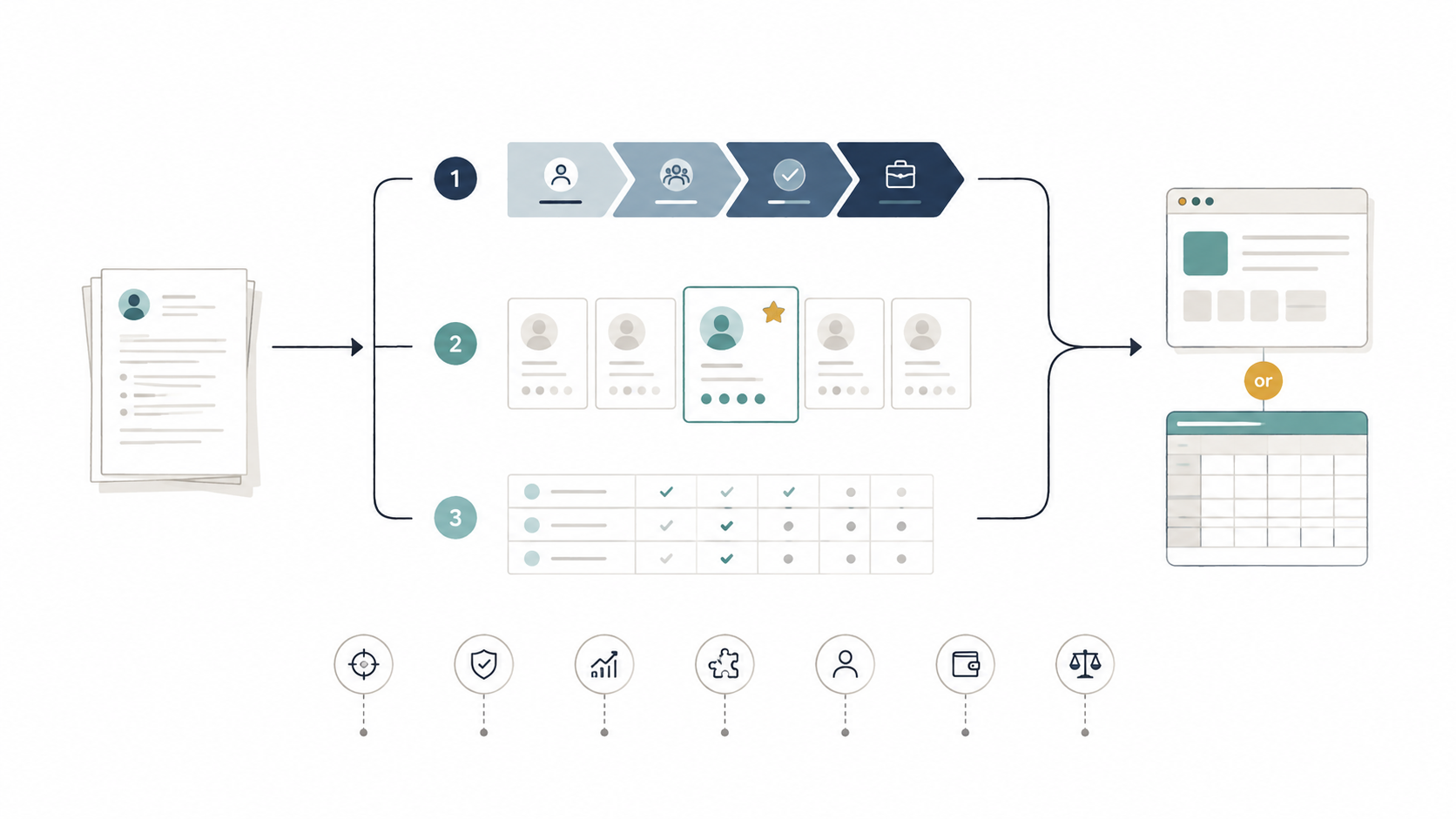
This one is organised differently. First, the three categories of product that all get called “screening software” despite doing different jobs. Then the seven questions that separate a tool that will work for you from one that will sit unused. Then what things cost, and the case for buying nothing.
What candidate screening software actually does
Strip the marketing away and screening software does four things:
- Parses unstructured CVs into structured data — name, roles, dates, skills, education
- Matches that data against a job description or a set of requirements
- Ranks candidates so you read the best ones first
- Stores everything so it stays findable later
Everything else — scheduling, offer letters, careers pages, analytics dashboards — is adjacent functionality that vendors bundle in. Useful to some teams, irrelevant to others, and the main reason prices vary by a factor of twenty.
The three categories
1. Full applicant tracking systems
Workable, Recruitee, Teamtailor, Greenhouse, Lever. These manage the entire hiring pipeline: job distribution, a branded careers page, stages, interview scheduling, hiring manager collaboration, offer management, reporting.
Screening is one module among many, and it is usually the least sophisticated part — typically keyword and knockout-question filtering rather than genuine semantic matching. That is not a criticism of the products. Their job is coordination, and they do it well.
Buy this if: your bottleneck is people, not CVs. Three hiring managers giving contradictory feedback in a Slack thread, candidates falling through the cracks between interview stages, no visibility into where anyone is in the process.
2. Dedicated screening layers
Tools that do one job: take a pile of CVs and a role, return a ranked shortlist. No careers page, no scheduling, no offer workflow.
Because they are not spreading effort across a pipeline, the screening itself is usually meaningfully better — vector-based semantic matching rather than keyword filters, written reasoning behind each ranking, batch processing built for volume.
Buy this if: your bottleneck is CV volume. You already have a way to receive applications and coordination is not the problem — you just cannot read 300 CVs a week.
3. Assessment platforms
TestGorilla, HackerRank, Codility and similar. These screen by testing ability directly rather than by reading claims on a CV.
Different tool for a different question. They tell you whether someone can do the work; they do not help you decide who is worth testing in the first place. Most teams that use them run them after a CV screen, on a shortlist.
The seven questions that actually separate tools
Ignore feature lists. Ask these.
1. Is the matching semantic or keyword-based?
This is the single biggest difference in output quality. A keyword filter searching for “account management” drops a candidate whose CV says “customer success” throughout — same job, different vocabulary. Semantic matching, which compares meaning using vector embeddings rather than string overlap, catches them.
Test it: take a CV you know is strong and rewrite the job titles into a synonymous vocabulary. If the tool’s ranking collapses, it is doing keyword matching regardless of how the marketing page describes it.
2. Does it explain its rankings?
A score with no reasoning is unusable. You cannot trust it, you cannot correct it, and you cannot defend a rejection decision to a hiring manager or, in some jurisdictions, to a regulator. Insist on written rationale per candidate.
3. Does what you screen become searchable later?
This is the most commonly overlooked question and the one with the largest long-term payoff. You screen 280 CVs, hire one, and 279 qualified people disappear. The candidate who came second in March is often the fastest hire for a similar role in September.
Ask specifically: can I search the full history semantically, or only the current role’s applicants by keyword?
4. How does it handle duplicates?
The same person applying to three of your roles over a year should be one record with three applications, not three records. Without deduplication, your database degrades into noise within about eighteen months.
5. What is the real batch limit?
Vendors quote throughput. What matters is throughput without quality degradation. Ask what happens at 500 CVs in one batch, and whether accuracy is measured at that volume or just at ten.
6. Where does candidate data live, and under what agreement?
CVs are personal data. You need a data processing agreement, a stated retention period, a defined data residency, and a working mechanism for deletion requests. Under GDPR and the UAE’s PDPL, “we use a popular AI tool” is not a compliance position.
Also worth asking directly: is candidate data used to train models? The answer should be no, and it should be in the contract rather than on a blog post.
7. What does the bias story look like?
Any model trained on historical hiring data can reproduce historical hiring patterns — rewarding recognisable employers, known universities, and conventional career shapes. The right answer from a vendor is not “our AI is unbiased.” It is a description of what they constrain the model to score against, and what audit trail you get.
Note that manual screening is not a clean baseline either. The advantage of software is that its decisions are auditable, which is only true if the tool actually shows you its reasoning — which is why question 2 matters twice.
What it costs
Broad ranges, because pricing changes and most vendors quote per user or per active job:
| Category | Typical monthly cost | Setup effort |
|---|---|---|
| Free / manual (forms + spreadsheet) | $0 | An afternoon |
| Dedicated screening layer | Roughly $20–100 | Under an hour |
| SMB applicant tracking system | Roughly $100–400 | Days to weeks |
| Enterprise ATS | $500+, often annual contracts | Weeks, sometimes with implementation fees |
| Assessment platform | Per-candidate or per-test | Hours per test design |
The jump from the second row to the third is where most small teams overspend. They buy a full ATS to solve a screening problem, use about 15% of it, and still read every CV by hand.
Where CVScanner fits
Full disclosure: we build it, so treat this section as a description rather than a verdict.
CVScanner sits in category two — a dedicated screening layer, not an ATS. It exists because the seven questions above kept having the wrong answers in tools aimed at small teams.
Concretely: matching is vector-based, so equivalent experience described in different vocabulary still surfaces. Every ranking comes with a written rationale, plus a binary pick / no-pick verdict for fast triage on large batches. Processed CVs stay in a searchable, deduplicated database, so this month’s rejected candidates are a queryable talent pool next quarter rather than a lost afternoon. Batch evaluation includes anti-keyword-stuffing validation, because candidates optimise for these systems too.
It deliberately does not do scheduling, offers, or careers pages. If those are your bottleneck, a full ATS is the better purchase and you should buy one.
There is a free tier. The test we would suggest is unglamorous: take a role you have already screened by hand, run the same CVs through, and compare the top ten against yours. If it surfaces someone you missed, that is the actual value. If it does not, you have learned something useful for free.
When not to buy anything
Three situations where software is the wrong answer:
Under about 30 applications per role. A structured intake form and a scoring sheet will cover you. So will prompting your way through it with a general AI assistant, one CV at a time. A tool you do not need is worse than a spreadsheet you do.
When your job descriptions have eleven requirements. No screening tool can filter against a wish list. If you cannot name three to five things a person must have on day one, fix that first — it costs an hour and it will improve your shortlists more than any purchase.
When the real problem is sourcing. If you are getting 40 applications and none of them are qualified, ranking them better changes nothing. That is a top-of-funnel problem wearing a screening problem’s clothes.
A shortlist process that takes one week
- Name your bottleneck in one sentence: too many CVs, or too much coordination. This picks your category and eliminates two thirds of the market.
- Pick two tools from that category only. Not five — you will not do a real test on five.
- Run both on a role you already closed. You know the right answer, which makes this the only test that tells you anything. Compare each tool’s top ten to the person you actually hired.
- Ask the vendor questions 6 and 7 in writing. Vague answers on data processing are informative.
- Check the exit. Can you export your full candidate database, in a usable format, on the day you cancel? If not, you are not buying a tool, you are renting your own data.
Frequently asked questions
What is the difference between an ATS and candidate screening software?
An ATS manages the whole hiring pipeline — job posting, stages, scheduling, offers — with screening as one module, usually keyword-based. Dedicated screening software does only the CV evaluation step, but does it with semantic matching and batch processing an ATS typically lacks. Teams with high application volume and simple pipelines often get more from the second; teams with complex approval chains need the first.
Does AI screening comply with GDPR?
It can, but not automatically. You need a lawful basis for processing, a data processing agreement with the vendor, a stated retention period, and a way to honour deletion requests. Fully automated rejection decisions carry additional restrictions in several jurisdictions, which is one reason to use these tools for ranking rather than auto-rejection.
Can candidates game screening software?
They try — keyword stuffing, invisible white text, and copying the job description into the CV are all common. Keyword-based filters are highly vulnerable to this. Semantic systems are harder to fool because they evaluate meaning in context, and better tools add explicit stuffing detection on top.
How much time does screening software actually save?
For 200 CVs, roughly six to eight hours of manual work drops to around two — and nearly all of the remaining time goes to deep-reading the shortlist, which is where judgment actually matters. The saving comes from the elimination and ranking passes, not from the final decision.
Do we still need to read CVs ourselves?
Yes, on the shortlist. Use software to decide who to read carefully, not to decide who to reject without reading. That split is both the better process and the safer legal position.
Working out which category you need? Test CVScanner free on a role you have already filled and see whether its shortlist matches the hire you made.