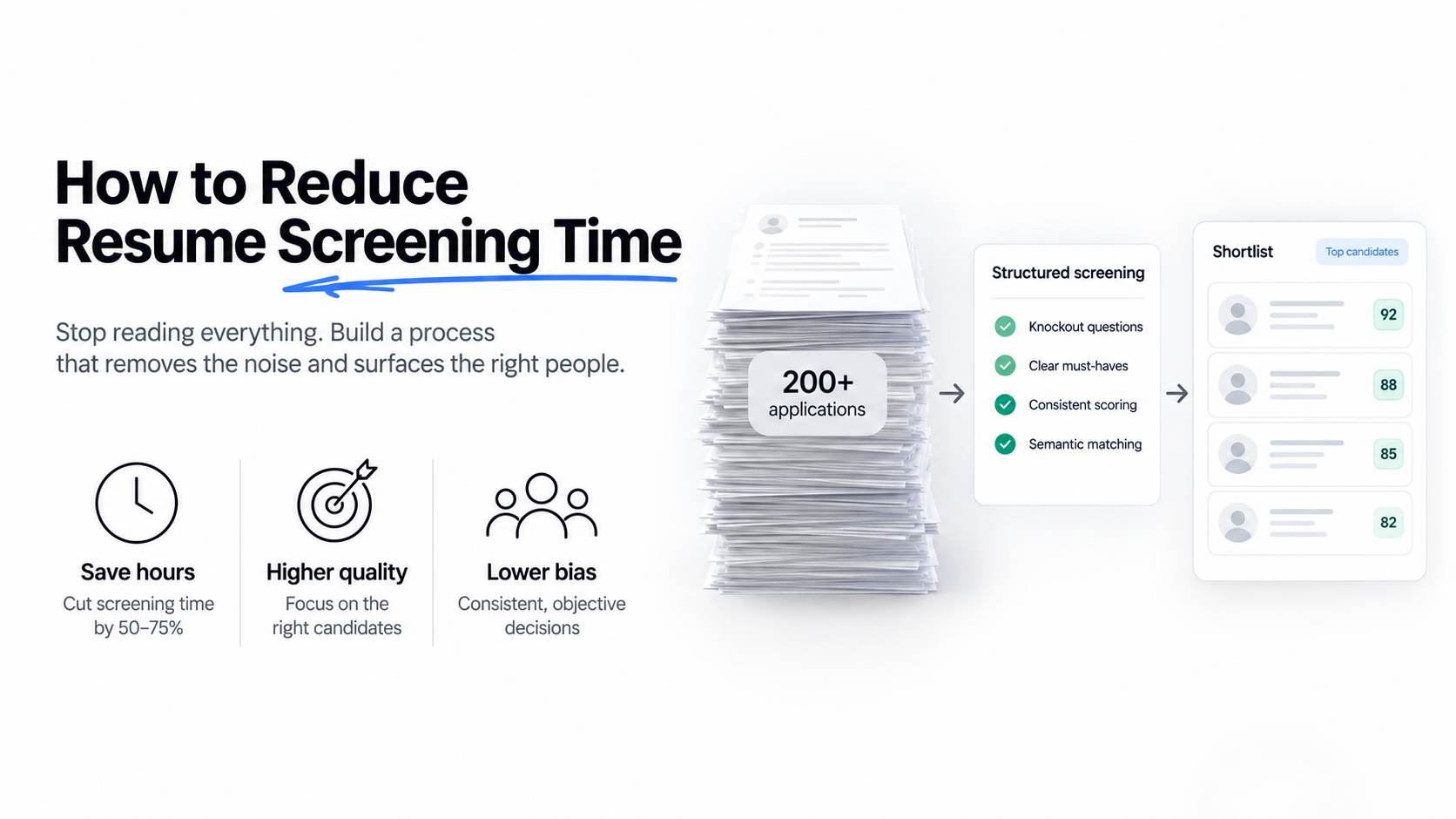
Almost every guide on this topic tells you to read faster — scan the top third, look for keywords, spend six seconds per CV. That advice is popular because it is easy, and it is wrong, because reading is not where your screening time actually goes.
Here is a more useful starting point: audit the hours before you try to compress them.
Where screening time actually goes
Take a typical 200-application role. If you track it honestly, the breakdown looks something like this:
- Reading CVs that were never going to work. Usually more than half the pile. Unqualified, wrong location, wrong salary band, applied to everything. This is the single largest block of wasted time and it has nothing to do with reading speed.
- Context switching. Twenty CVs between meetings on Tuesday, fifteen on Wednesday morning. Each restart costs re-calibration — you have to rebuild your sense of what a good candidate looks like in this pile.
- Re-deciding the criteria. If the standard is not written down, you renegotiate it with yourself on every single CV. That is where the seconds disappear.
- The maybe pile. Every CV you defer gets read twice. Sometimes three times.
- Actual evaluation of viable candidates. The part that deserves the time, usually the smallest share of it.
Four of those five are process problems. Only the last one is reading. Which means speed-reading techniques attack the one category you should not be compressing.
Seven changes, ranked by return
1. Stop unqualified applications from arriving
The fastest CV to screen is one that was never submitted. Two or three structured knockout questions on the application form — work authorisation, location, required licence, salary expectation — remove a large share of the pile before anyone reads anything.
Related: a job description with a specific, honest salary range and clear must-haves attracts fewer and better applications. Vague ads are cheap to write and expensive to screen.
Typical saving on a 200-application role: two to four hours. Setup cost: one hour, once.
2. Write the rubric before you open anything
Three to five must-have requirements, with a note on what counts as evidence for each. Screening against a written standard is dramatically faster than screening against a feeling, because you stop re-litigating the criteria on every CV.
This is the change most people skip because it feels like extra work. It is the one with the best ratio.
Typical saving: 30-40% of remaining screening time. Setup cost: fifteen minutes per role.
3. Kill the maybe pile
Decide on every CV the first time you open it: advance, reject, or a specific flagged question. “Maybe” is not a decision, it is a deferral, and deferrals are the most expensive thing in your process because they duplicate work you already did.
If you genuinely cannot decide, that usually means the CV is missing information — in which case the decision is “ask them,” not “read it again on Thursday.”
Typical saving: one to two hours on a large role. Setup cost: nothing.
4. Screen in blocks, not between meetings
One uninterrupted session beats five scattered ones by a wide margin. Each restart costs recalibration, and scattered screening also increases inconsistency — the standard drifts between sessions.
Practical version: block ninety minutes, close email, do the elimination pass in one run.
Typical saving: 20-30% through reduced switching. Setup cost: a calendar block.
5. Separate elimination from evaluation
These are different cognitive tasks and mixing them is what makes screening exhausting. Do one fast pass applying only your rejection criteria — ten seconds per CV, no judgment about quality. Then evaluate what survives.
The reason this works is that elimination requires no calibration. You are checking facts, not forming opinions, and fact-checking is fast.
Typical saving: one to two hours per 200 CVs. Setup cost: nothing.
6. Automate the elimination and ranking passes
Once you have a written rubric, the first two passes are mechanical. This is the point where software earns its place — not by judging better, but by applying an identical standard to CV 200 as to CV 1, without fatigue and without drift.
What to insist on: semantic rather than keyword matching, so candidates using different vocabulary for the same experience still surface; and written reasoning per candidate, so you can check the ranking rather than trust it.
CVScanner — full disclosure, we build it — does exactly this pair: you supply the job description, it returns a ranked list with rationale per candidate plus a binary pick / no-pick verdict for fast triage, and everything processed stays in a searchable deduplicated database. There is a free tier. The honest way to evaluate it is to screen twenty CVs by hand first, then compare — the disagreements are where you learn something.
Typical saving on 200 CVs: four to six hours. Setup cost: under an hour.
7. Reuse your own history
The fastest possible screen is one you already did. If past applicants remain searchable, a new role starts with a shortlist of people you have already evaluated — pre-vetted, already interested, and free to reach.
This requires consent at application time and a system where old CVs stay semantically searchable rather than sitting in a folder. Both are cheap to set up and compound every month.
Typical saving: highest of anything on this list, but only from month six onward.
Four shortcuts that cost more than they save
Skimming the top third
Recent experience sits at the top of a CV, so this systematically over-weights the last role and under-weights relevant work from three years ago. You save seconds and buy worse shortlists, which costs hours later in interviews with the wrong people.
Keyword filters as the primary screen
Fast, and they fail in both directions: they drop qualified candidates who use different vocabulary, and they favour candidates who copied your job ad into their CV. The time you save is repaid with interest in a weaker shortlist.
Automated rejection
Tempting at volume. It also removes your ability to catch a broken filter, and fully automated decisions with significant effects carry legal restrictions in several jurisdictions. Automate ranking; keep a human on rejection.
Cutting the boundary check
Reviewing the candidates who scored just below your cutoff costs an hour and is the only thing that tells you whether your process is working. It is the first thing people drop when rushed and the last thing they should.
What good actually looks like
For a 200-application role, roughly:
| Approach | Total time | Where it goes |
|---|---|---|
| Unstructured manual | 6–8 hours | Spread thin across everything, including 100+ CVs that never had a chance |
| Structured manual (rubric + passes) | 3–4 hours | Mostly on viable candidates |
| Structured + automated first passes | 1.5–2 hours | Almost entirely on the shortlist and the boundary band |
Note what does not change across those rows: the time spent deep-reading your final shortlist. That should stay roughly constant, because it is the part that decides who you hire. Everything else is overhead, and overhead is what you are cutting.
Frequently asked questions
How long should it take to screen one resume?
It depends which pass you are on, which is why a single number is misleading. Elimination against fixed criteria: around ten seconds. Scoring against a rubric: roughly a minute. Deep reading a shortlisted candidate: five minutes or more, and worth every second. The industry’s famous six-second figure describes what tired people actually do, not what works.
What’s the fastest way to screen resumes without missing good candidates?
Move the work earlier: knockout questions at application, a written rubric before you open anything, and one uninterrupted elimination pass. Then automate the mechanical ranking and spend the time you recovered on the shortlist. Speed comes from removing overhead, not from reading faster.
Does AI screening actually save time?
For the elimination and ranking passes, substantially — roughly six hours down to two on a 200-CV role. It saves nothing on the final decision, and should not: that is where your remaining time should concentrate. Tools that promise to replace the whole process are selling you the part you should keep.
Is six seconds per resume enough?
For deciding whether someone meets a hard structural requirement, yes. For deciding whether to interview them, no. The mistake is not the six seconds — it is using one pass to answer both questions at once.
How do I screen faster without increasing bias?
Counterintuitively, the changes that save the most time also reduce bias: a written rubric, evidence quoted for each judgment, and consistent scoring across the whole pile. The shortcuts that increase bias — skimming, impression-based reading, prestige signals — are also the ones that save the least time.
Want the first two passes off your plate? Try CVScanner free on a role you’ve already closed and compare the shortlist to yours.